Get in touch
For bug reports, feature ideas, or a clip you want to show us, email is fastest: support@breezsimulation.app.
We are also on Xiaohongshu as @xxxxxxxsystems.
Getting started
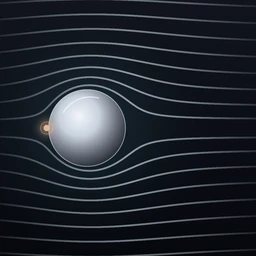
BreeZ opens straight into a playground, with the wind already blowing from left to right. Tap the shape tool and draw something. A closed shape becomes a solid object, and an open line becomes a thin obstacle. The wind gauge at the bottom left shows the wind speed; tap it to change the speed and direction.
Switching views
Particles, velocity, vorticity and pressure sit in the bar at the bottom. All four draw the same running simulation, so switching between them is a different way of looking at the same air.
Performance and resolution
If the simulation feels heavy on an older device, lower the Performance setting from High to Balanced or Saver, or lower the grid Resolution. On newer iPhones you can go the other way for crisper pictures of the flow.
Importing a shape from a photo
Open the object library and choose Import from Image. You can pick a photo from your library or take a new one. There are three ways to pick out the shape:
- Smart finds the main subject of the photo automatically and works best for recognisable subjects.
- Threshold separates light from dark and keeps the largest connected area, which suits line art and silhouettes.
- Tap selects the area of similar colour around the point you tap.
The traced outline drops into the playground as an obstacle in the wind.
Exporting
Tap the share button to see a live preview of the export. Two switches control it. Show simulation data overlays the wind, angle, drag and lift readouts, and Include info chin attaches a strip with the BreeZ mark below the image. You can save a still PNG or record a video of 1 to 10 seconds.
Requirements
- An iPhone or iPad running iOS 17 or iPadOS 17 or later.
- Photo library access is needed only if you import a shape from an image.
What BreeZ is for
BreeZ is made for curiosity, learning and quick creative exploration. The flow on screen is computed live, and it is welcome in classrooms and demonstrations.
It is not a tool for professional CFD, engineering simulation or wind-tunnel testing. Its fields and figures are a visual reference and a way to build intuition. Please do not base engineering design, safety judgements, manufacturing decisions or scientific conclusions on them.
Privacy
BreeZ collects no data and works entirely on your device. The details are in the Privacy Policy.